Trending Gujarati Capcut Template – Welcome, friends, to today’s article. In this post, I am going to share with you a highly viral and trending Gujarati video editing template. If you are active on social media, you have undoubtedly come across this specific style of video editing, which is currently going viral everywhere. Many people wish to create such videos but are unaware of the correct method—specifically, how to easily edit a video using a template. In this article, I will walk you through this entire process. If you follow the article, you will find the link to the template included within it. With the help of this template, you will be able to edit your videos automatically; all the necessary editing effects have already been pre-applied, allowing your video to be edited automatically. So, let me guide you through the entire process step-by-step in this article.
What Is Capcut Template?
First, let’s understand exactly what a “template” is. Essentially, it is a pre-designed video editing project found within the application—specifically accessible via the “Templates” option. Here, you will find a wide variety of templates; whenever a new trend emerges on social media, you can easily find a corresponding template for it within CapCut. In these templates, all aspects of editing—such as music, effects, filters, transitions, and animations—have already been meticulously applied and configured. Consequently, when you utilize a template, these editing elements are automatically applied to your own video clips, resulting in your video being automatically edited.
Details Of Trending Gujarati Capcut Template
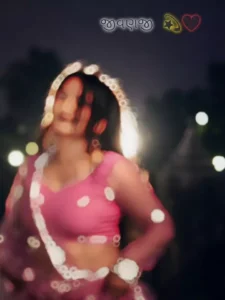
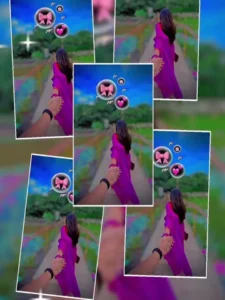
Speaking of this template, friends, the editing featured here is quite unique and creative, specifically incorporating beat-based editing. You will notice that at the very beginning of the video, the footage starts off blurred; however, within just a few moments, the blur effect dissipates. This technique is employed to effectively build suspense within the video. Subsequently, a visual clip appears accompanied by a special video effect, and 3D emojis have also been incorporated into the footage. The template utilizes a 4K filter alongside precise beat-sync editing. The music used in this template is perfectly synchronized with various beat-driven effects—such as shake, flash, and zoom effects—resulting in a flawless beat-sync execution. You can utilize this template to create a romantic style of video edit. Simply by adding a single photograph of your own, you can complete the entire video editing process.
Update – Friends, in today’s article, I am sharing an update with you regarding another new template. This template features a unique editing style, specifically incorporating beat-sync editing. By using it, you can create professional and trending videos of your own. As this style is currently going viral across social media platforms, I highly recommend that you check out this video editing template. You will find the button to access this template located just below the image provided above.


How To Use Trending Gujarati Capcut Template
Now, let’s learn how to use this template. Friends, if you have been following along with this article, you should have already gained a comprehensive understanding of the template and its features by now. In this paragraph, I will guide you through the actual process of using it. To utilize the template, you need to open the CapCut application; navigate to the “Templates” section, search for the specific template by name, open it, and then proceed to use it. Occasionally, you might not immediately find the exact template you are looking for—this happens because the application already houses a vast collection of templates, making it difficult to pinpoint the specific one you need. Therefore, a direct link to this template has also been provided within this article for your convenience. You can access it there.
- First, click on the “Check Template” button provided within the article.
- This will open the template directly within the CapCut application.
- You will then see a preview of the template.
- Located beneath the preview, you will find a “Use” button; click on it to add your own video clips to the template.
- Next, click “Next” and wait for a few moments while the template automatically edits your video.
Conclusion
I hope you really enjoy this beat-sync editing template. The editing techniques used in it are quite unique and creative; while doing it manually would take you a considerable amount of time, this template allows you to accomplish it easily in just a few minutes. Many more unique Gujarati video editing templates of this kind are available on this website, which you can check out by visiting the site. If you liked this article, please be sure to share it.