Rangdaro Ke Bhatar Capcut Template – You have likely heard this song on social media; it has gone viral recently and has been trending in Instagram Reels for quite some time. Since it is an “attitude-style” song, people use it to create and share videos that showcase attitude—content that often goes viral and inspires others to create similar videos. However, not everyone finds the editing process easy. If you want to edit your own video in the trending Bhojpuri style using this song, then read this article. I will show you how to automatically edit the video using a template and guide you through the simple steps to create your own viral video.
Details of Rangdaro Ke Bhatar Capcut Template
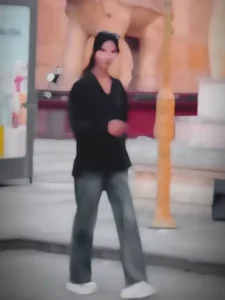
First, let me tell you about this template and the editing applied to it; as I mentioned, it is a Bhojpuri video editing template designed with a distinct Bhojpuri style. You will see a video edit that exudes a strong “attitude” vibe. The editing shown in the preview is exactly what will be automatically applied to your video. The video begins with a blurred effect—this is intentional, as the blur piques the viewer’s curiosity about what is coming next. It then transitions into full visibility, featuring a smooth slow-motion effect that makes the footage play seamlessly at a slower pace. Additionally, flash effects and shake effects are incorporated throughout the video. You can use this template to create videos with that bold, “attitude-filled” style.
What Kind Of Video You Should Use?
If you want to create this type of video edit and are wondering which clips to use, I have a few suggestions you can follow. As I mentioned, this is an “attitude-style” edit; you’ve likely seen that Bhojpuri videos often feature “walking” shots, so you can use clips of yourself walking—perhaps while speaking with an attitude or walking alongside a friend. You can record and use footage from various angles to achieve this. Other ideas include using clips of yourself riding a bike, posing with a large car, or simply showcasing that “attitude” vibe.


How To Use Rangdaro Ke Bhatar Capcut Template
Friends, let me explain the simple way to use this CapCut template in this paragraph. To use the template, you must have the CapCut application installed. Open the app, go to the ‘Discover’ section, and search for the template by name; once you find it, you can use it to edit your video. Sometimes, the template doesn’t appear in the search results, so I have an alternative method to help you—just follow the step-by-step instructions below.
- To use this template, simply click the “Check Template” button provided in the article or open the template directly in the CapCut app.
- You will see a preview of the template along with a “Use” button; click that button.
- Your gallery will then open, allowing you to select the necessary video clips.
- After selecting them, click “Next” and wait a moment; the template will automatically edit your video.
- And it will be ready to go.
Conclusion
So friends, I hope you really like this viral ‘Rangdari’ (attitude-style) Bhojpuri video editing template. By using it, you can create an attitude-style Bhojpuri video that is currently going viral; this increases the chances of your video also gaining popularity. I provide tutorials for such unique and trending video editing styles on this website, so visiting us will give you the opportunity to learn new video editing techniques. I hope you enjoy this article, and please feel free to share it with your friends.