Attitude Boy Capcut Template – Friends, a Bhojpuri video is currently going viral on Instagram, having been edited and shared. This video is based on an old song from AO Bhojpuri, which is currently trending again on Instagram. You may have seen it, and I’ve also shared an editing tutorial video of it on my Instagram page. Friends, we’re going to explore that tutorial in detail in this article. Today, I’m showing you a very easy way to edit this viral Bhojpuri video, allowing you to automatically edit videos like Sunny. Now, you too can edit your own videos like the viral video. This process will be explained paragraph-by-paragraph in this article. To learn automatic video editing, follow this article. We’ll teach you the easy way.
What Is This Capcut Template?
Look, we’re going to learn how to edit this Bhojpuri video using a template, which is from the CapCut application, allowing you to edit your video in one click. This is because all the editing options have been added and fixed to the template. This is a video editing project that, if you add your clip and use it, transfers all the editing options to your clip, remembering them, and automatically edits your video. Most people on social media are currently editing their videos using templates. Those who don’t know are searching for ways to automatically edit their videos. So, if you don’t know, I’ll teach you in detail today. Stay tuned to the article.
About This Attitude Boy Capcut Template
Now, let’s talk about this template. As I mentioned, this template uses a Bhojpuri song, and the editing is done in slow motion. In the preview, you’ll see a video starting and the editing is shown. First, the video is blurred for a few seconds using a halo blur effect, which is done to make viewers curious about the rest of the video. When this blur effect ends, we see a slow-motion effect that plays the video in slow motion. In the middle, black and white and glitch effects are used, and then we see a seki flash effect. You can edit one of your attitude-type video clips in this, and you’ll get some impressive results. Now, let me show you how to use the template in the next paragraph.
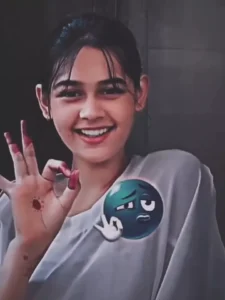

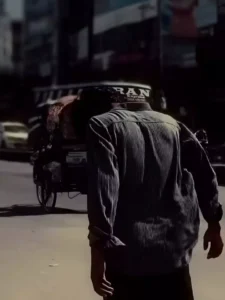
Update – Friends, in today’s article, I am providing you another template with the help of which you can edit your video in attitude style. If you like beat editing and adding trending attitude music to it, then you can use this template to edit your video in attitude style. It has a very situational and cinematic editing which you will definitely like. The process of using this template is the same which I have already explained in the previous article.

How To Use Attitude Boy Capcut Template
So friends, adding a template is quite easy, and I’ll explain it to you in this paragraph. Adding any CapCut template is quite easy. First, you need to install the official CapCut application on your phone, open it, and search for the template’s name in the Discover option. You’ll find the template, and use it. However, sometimes we can’t find the template we’re looking for, and I have another solution. I’ll explain it step by step.
- First, click the “Check Template” button in the article.
- It will open directly in CapCut, and a preview of the template will appear.
- Remember, you can only click the “Template” button if you have the CapCut application.
- You’ll see the “Select” button below the preview. Click on it.
- Your gallery will open, and you can add your clips from there.
- Then, click the “Next” button. In a few moments, your video will be edited and ready.
Conclusion
Friends, in this article, I’ve guided you on how to automatically edit your videos using CapCut’s template. If you followed the article, you’ll have easily understood the process. I hope you’ve grasped the process and can edit your viral video. If you still have any problems or want to tell us something, please contact us and we’ll definitely help. You can visit this website to learn more about editing techniques like this. And don’t forget to share the article.