Arz Kiya Hai Capcut Template – Friends, nowadays, people are increasingly interested in seeing the creativity of people’s content creation. Similarly, video editing is becoming a trend these days. People edit their videos in very creative ways and share them on social media, which receives a positive response. Similarly, a new video editing technique is currently going viral, featuring highly creative editing. This viral video editing can be edited using a template. If you don’t know what a template is, let me tell you for your information that it can be used to automate your video editing. In this article, I’m sharing a viral video editing template. This template will help you edit your videos, saving you hours of manual editing. So, let’s explore the process in this article.
Details Of Arz Kiya Hai Capcut Template
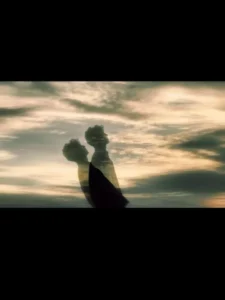
Speaking of this template, friends, you’ll find a similar editing technique in this template: it uses a Hindi emotional song and matches it to its theme. It depicts how our souls are leaving our bodies. As if lost in the memories of someone, our souls are leaving our bodies. The editing will be visible in the preview, where a video will play, showing a boy turning to the side from behind, then standing with his eyes closed, remembering someone. The main editing begins from here. The video now shows a black and white image of the boy emerging from his body with a motion effect, giving the impression of his soul leaving his body. The soul falls downward in slow motion. The video also features a sentence written in English. Use it for your sad, emotional editing and you’ll get excellent results.
How To Record Video Clip For This Editing?
Friends, to edit this viral video, you don’t have to use your normal clips; you should first prepare a video clip with a proper feel. I’ll give you some ideas. To edit this kind of sad emotional video, you need to record a video with a sad feel. If you want the same result, you first need to record a clip in which you appear sad. Set your phone at a low angle, that is, your camera should be facing the sky. Then, turn to the camera and position yourself so that the background behind you is sky-like. Then, turn to the opposite side and start recording the video. Turn from the back and then turn to the side. Close your eyes, turn your face towards the sky, and feel sad and remember someone. That’s all you need to record, and your proper video will be ready for editing. If you use it in your template, you’ll get a great result.
How To Use Arz Kiya Hai Capcut Template
Friends, if you want to edit your video using a Capcut template, then using a Capcut template is quite easy. First, install the Capcut application on your phone. Open it and go to the “Discover” option. Here, you’ll find numerous templates that you can use for free. Click on the “Search” option and search for the template you want by typing its name. You’ll find that template. You can use it. If you can’t find it, I have another way.
- Click on the “Check Template” button on our website.
- The application will open, and you’ll see a preview of the template.
- You’ll see a “Use” button. Click on it, and then add your clip to it.
- You’ll need to provide as many clips as you need.
- Then click “Next.” Your video will be created and ready in a few moments.
- This way, you can automatically edit your video.
Conclusion
Friends, if you’ve read the information I’ve shared in this article, you’ll have an idea of the process and how to record a video and edit it in the same style. I hope you’ll understand this editing technique and be able to do it easily. If you’re looking for editing tutorials with proper guidance, you can visit this website. You’ll be taught how to edit in this trend.