Bheed Mein Capcut Template – Friends, a new video editing style is currently going viral on social media; people are sharing videos edited in unique and creative ways that are garnering hundreds of thousands of views. The best part is that this editing process is incredibly simple. If you want to transform your ordinary videos into eye-catching ones, this article will teach you how. By following this guide and using the provided template, you will find the editing process very easy—especially since using templates is the current trend for video editing. Once you follow the steps here, you will be able to edit your videos automatically with ease. I am sharing a template link in this article and providing a step-by-step guide to the entire process, enabling you to create these videos automatically.
Details Of Bheed Mein Capcut Template
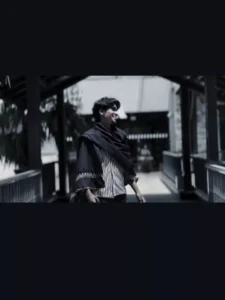
Let’s talk about this template: it features a Hindi song and an aesthetic editing style. In the preview, you’ll see the video start normally, then shift—using a glitch transition and a black-and-white filter—to a different look, enhanced by smooth slow-motion effects. The clip transitions twice more, with cinematic slow-motion and black-and-white filters applied throughout. It’s perfect for creating videos with an aesthetic, slow-motion vibe—a style that is currently trending—so give it a try.
What kind Of Clip You Can Use
Look, the video editing here is designed to capture the mood of missing someone—whether it’s a romantic vibe or a melancholic one. So, the clips you choose should reflect that—showing you either smiling or looking sad while lost in thought about someone. Here’s a suggestion: record a clip of yourself walking while thinking of that person, and then use it in the template to complete your edit. There are other ideas too—for instance, you could start by standing with your back to the camera, then turn around, look up at the sky, and spread your arms while appearing to reminisce about someone. Alternatively, if you are in a mountainous area, using a clip with a mountain backdrop would result in a fantastic edit.
How To Use Bheed Mein Capcut Template
Friends, let me explain the simple way to use this CapCut template in this paragraph. To use the template, you must have the CapCut application installed. Open the app, go to the ‘Discover’ section, and search for the template by name; once you find it, you can use it to edit your video. Sometimes, the template doesn’t appear in the search results, so I have an alternative method to help you—just follow the step-by-step instructions below.
- To use this template, simply click the “Check Template” button provided in the article or open the template directly in the CapCut app.
- You will see a preview of the template along with a “Use” button; click that button.
- Your gallery will then open, allowing you to select the necessary video clips.
- After selecting them, click “Next” and wait a moment; the template will automatically edit your video.
- And it will be ready to go.
Conclusion
So friends, I hope you really like this template for the viral Hindi song and that you’ll be able to easily edit your creative videos using it. Videos featuring this kind of style and cinematic look are going viral these days, so by editing videos in this manner, you too can make yours go viral. Please note that having the CapCut app is essential to use this template, as it opens and functions exclusively within that application. I hope you have understood the entire process and can now easily edit your videos; keep visiting our website to learn more unique video editing techniques.