Gujarati Music Capcut Template – Friends, in this article today, I am providing you with a viral Gujarati video editing template—specifically designed for a popular Gujarati song—that allows you to transform your ordinary videos into creative masterpieces. I am sharing a link to a CapCut template that you can use completely free of charge; with its help, your video will be edited automatically, allowing you to easily create a polished video without needing to learn any complex editing skills. Using this template is incredibly simple. I will walk you through the entire process of how to use this template to edit your video; simply read through this article and follow the instructions provided.
Breakdown Of This Editing
As you can see, this template has been crafted using beat-synced editing—a highly creative style that would be incredibly difficult and labor-intensive to replicate manually. However, with the aid of this template, we can achieve this effect automatically. Friends, you will observe that the video begins with a standard sequence; then, just as the first clip is about to transition, a cutout of the upcoming clip appears within the currently playing one, followed by a transition effect that seamlessly introduces the new clip. This sequence repeats two more times, after which the video concludes with a black animation effect. In this template, a “shake” effect has been synchronized to the beat, ensuring that the video clip changes precisely with every rhythmic pulse.
Which types of clips you should use for this video
Now, let me guide you on the specific types of clips you should use for this video editing project. Friends, you are going to need multiple clips for this particular template. If you look at the template’s preview, you will notice that 4 to 5 clips have been utilized; similarly, you will need to use 4 clips in your version as well. Therefore, you should select clips for this template that were recorded during the same session—for instance, if you recorded a set of 5 clips all at once, you can then use those specific clips within the template. These clips could feature your walking style, or perhaps you dancing; you are free to use clips showcasing various distinct styles. Ultimately, you can use this template to create whatever type of video you wish to edit.
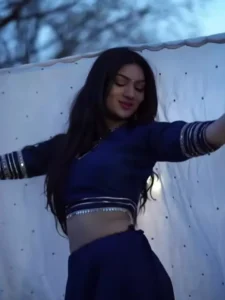
Update – Friends, in this article, I am once again updating a new template—specifically a beat-editing template—that utilizes the music from a viral Gujarati song Music. This template features editing synchronized with the song’s beats, with the video clips changing at every beat. Therefore, to use this editing style, you should have multiple video clips ready beforehand. You can access the template by clicking the designated button located just below the preview image.

How To Use Gujarati Music Capcut Template
Friends, the link to the template you requested has been provided in the button above. Now, regarding how to use it: simply read through this paragraph step-by-step. In it, I provide a step-by-step guide on how to utilize this template.
- First, click the “Check Template” button to open this template directly within the official CapCut application.
- Before using the template, it is essential that CapCut is on your phone.
- f you don’t have it yet, please install the CapCut app first, and then proceed to use the template.
- Once opened, the template interface will appear, and you will see a preview of the template.
- Located just below the preview, you will find a “Use Template” button.
- Click this button to add your video clips.
- Add as many clips as required for the template, and then click the “Next” button.
- Your video will now begin editing automatically and, after a few moments, it will be ready.
- You can then save it by clicking the “Export” button located in the top corner of the screen.
Conclusion
We hope you will truly enjoy this creative Gujarati beat-sync template, and that you can now easily edit your own videos using it. Friends, if you are in need of new templates for this style of Gujarati video editing, you can visit this website; you will find links to numerous templates here that you can utilize within the CapCut application. Please note that I am not affiliated with CapCut; I simply share these template links to assist you. If a specific template does not work, the issue does not lie with the link we provided; it may be a technical glitch within CapCut itself. We hope everything is clear to you now. Go ahead, edit your video, share it, and don’t forget to tag us!