Funny Gujarati Beat Edit Capcut Template – Friends, this Gujarati video editing style is currently trending on people’s feeds, and its editing is really impressing everyone. I’ve been receiving messages from people asking for a tutorial on this viral Gujarati video editing style so they can edit their own videos. So, based on your requests, today I’ve brought you a template for this editing style. I mostly share templates because they allow our videos to be edited automatically. This template is for CapCut and features the same editing style that’s going viral on social media. You can use it for free; you just need to have CapCut installed on your phone because this template will open in CapCut. So, make sure you have CapCut ready before using the template. Friends, I will explain everything about the template and how to use it in this article in a simple way. You should read this article once to avoid any problems while using the template. So, let me explain all the information paragraph by paragraph.
About This Funny Gujarati Beat Edit Capcut Template
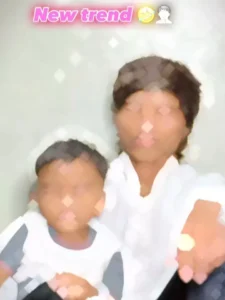
Look, this is a funny type of editing that’s becoming popular. In this editing style, you’ll see two boys in the photos. No video footage is used; the video is created entirely from still images. You’ll notice that two types of images are used: in one image, both boys have their eyes closed, as if they’re sleeping, and in the other, they’re making funny faces and striking playful poses. These two images are then set to a viral song, matched to the beat. The image with the closed eyes appears first, followed by the funny image. When the video plays, these two images are repeated very quickly, and some effects are added during the editing process, such as blur effects and drop effects. The most difficult part is matching the photos to the beat, which is quite a laborious task. However, in this template, it’s already set up, so we can easily add our own images and create this type of edit.
How To Select Clips
This is a funny video editing app, so you can use your funny photos in it. You need to add two types of images. If you want to create a similar video, first add an image where your eyes are closed. In the second image, add a funny picture, like one where you’re making a funny face or striking a funny pose. Basically, add an image that will make people laugh. Then, use the template to edit your funny image. You’ll find the template link below the image. When you open this link, it will automatically open in the CapCut application. I’ve explained how to use CapCut in the next paragraph.
How To Use Funny Gujarati Beat Edit Capcut Template
Look, I’ve shared the template link with you. If you know how to use it, feel free to check it out. If not, don’t worry, just read this paragraph carefully. In this, I will teach you how to use the template step-by-step within the CapCut application.
- First, you need to click on the “Check Template” button above to open the template.
- If you have the CapCut application on your phone, it will open directly in it.
- Otherwise, first launch the official version of CapCut on your phone.
- Now open the template in the application.
- Here, a video will play; this is the template preview.
- Now, to use the template, click on the “Use” button below.
- This will open your gallery to add your clips.
- Add your clips here as required.
- After that, click on “Next” and wait a few moments while the video is being edited.
- In a few moments, your video will be ready.
- You can save the video using the export button in the upper corner.
Conclusion
After editing with this template, your video will be in Gujarati style and will look very attractive. And it will work 100% if you follow the steps correctly. I always check the templates I provide before sharing them. All the information I’ve given you is genuine. So you won’t have any problems now. Friends, for this and other Gujarati templates, you can visit this website so that you don’t face any difficulties and can easily create any trending video edits.