Viral Dialogue Capcut Template – Welcome, friends, to today’s article! In this post, I will be sharing a video editing tutorial featuring a viral dialogue. You have surely come across this viral video editing Reel on Instagram; it is currently trending massively, and you can use it to create your own version featuring your favorite bike or your own personal footage. To facilitate this editing process, I am sharing a template from the CapCut application that you can use to create a captivating video, complete with the accompanying dialogue. Thanks to this template, your video will be ready with minimal effort. If you wish to create such a video, simply follow the steps outlined in this article. I will guide you through the entire process and teach you exactly how to edit the video.
About Viral Dialogue Capcut Template
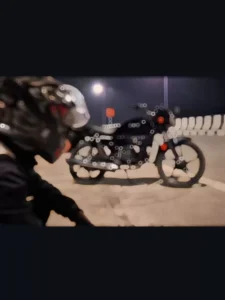
First, let me walk you through the details of this template. Friends, the editing in this template is structured in a unique way: a dialogue plays over the background music, while the opening clip depicts a girl opening her door to find a line of admirers waiting outside, each holding a rose for her. The scene then shifts to show footage of a bangle shop, after which your own personal clip begins. This section is designed using a cinematic filter combined with slow-motion effects. The specific video clip included in this template features a boy gazing lovingly at his bike, accompanied by various shots of the vehicle itself. Friends, while the initial clips in this template are fixed, you have the freedom to insert your own footage into the final segment; you can create a video featuring any cherished object or possession that is dear to you.
Why This Editing Is Viral?
Friends, this video edit is going viral because the editing style employed here is something that every guy is bound to love. Every guy shares a deep affection for his bike, and everyone has a “dream bike” of their own. This video captures precisely that sentiment: no matter how many admirers a girl may have, we guys ultimately cherish our bikes even more. We lovingly adorn them and care for them as if they were a bride. This video features a creative edit—complete with fitting dialogues—that is resonating with guys everywhere; furthermore, you can easily recreate this edit yourself using a template. Let me explain how in the next paragraph.


Update – Friends, in this article, I am sharing a new template designed for dialogue-based video editing. It features an “attitude-style allowing you to easily create a creative video incorporating dialogue. This style is currently trending, so be sure to use it to edit your videos creatively.

How To Use Viral Dialogue Capcut Template
Friends, let’s discuss how we can edit our videos using templates. Using templates is actually quite simple, and I will explain the process to you in this section. To use any specific template, you simply need to open the CapCut application. Within the app, you will find a “Templates” option; navigate to it and search for the name of the template you wish to use. Once found, you can proceed to utilize it. However, it sometimes happens that the specific template we need does not appear in the search results. In such cases, I have an alternative solution for you. Simply click on the “Check Template” button provided within this article; this will directly open the template within the CapCut application. Let me walk you through the process step-by-step.
- First, click on the template button; this will immediately open the template within the CapCut app.
- You will then see a preview of the template; click on the designated button to proceed.
- Your device’s gallery will open up; select and add the required number of video clips for the template.
- Then click “Next.” The template will automatically begin editing your video.
- Wait for a few moments, and it will finish editing and prepare your video for use.
- In this way, your video will be automatically edited.
Conclusion
I hope you really enjoy this dialogue-based video editing tutorial. Thanks to such editing templates, the editing process becomes incredibly easy, allowing anyone to edit their videos effortlessly. Friends, if you wish to learn unique video editing techniques like this, you can visit this website to do so.