Gujarati Dj Remix Capcut Template – Friends, in this article, I am going to show you how to edit a video for a viral DJ remix song. You have surely heard this song on Instagram, as Reels featuring it are going extremely viral. Today, I will guide you through the process of creating a video edit just like those viral Reels. Note that this video edit utilizes a “slow-motion” style, and it is actually quite simple to execute. I am sharing a template within this article that will enable you to perform this specific edit. This template contains the exact same editing effects that you observed in the viral videos. Furthermore, all the editing parameters within the template are pre-configured, meaning you won’t need to perform any manual editing yourself. You can simply utilize the template to effortlessly create your video edit. I will walk you through the entire process in detail; please read the article carefully, and you will understand everything clearly.
Details Of Gujarati Dj Remix Capcut Template
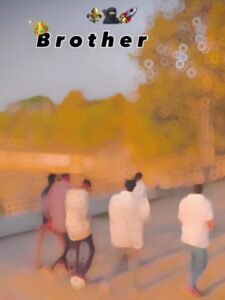
Regarding the editing of this template, it is based on a viral Gujarati song and features slow-motion effects. If you watch the preview—which I will explain how to access—you will see a video sequence that begins with a brief, soft blur, while the word “Brothers” remains displayed throughout the entire duration of the clip. The footage then becomes visible, playing in smooth slow motion; this is followed by a specific video effect, after which the slow-motion styling continues until the very end. Intermittently, a flash effect appears, synchronized with the beats of the song, and an orange filter has been applied to the visuals. You can utilize this template to create a video featuring yourself and a close friend, or even your entire friend group. This editing style has been designed specifically to celebrate friendship.
How To Use Perfect Clip In This Editing
Friends, you can use videos featuring your friendships in this template—specifically clips where you are with a friend or walking together. Alternatively, you can use a video of your entire friend circle, featuring multiple friends. You can even use a video of yourself with your brother. There are many such options available for you to choose from. As for the style of the video, I recommend using an “attitude-style” clip where you are walking, as this type of footage fits perfectly with the audio track used in this template. Now, I have provided the link button for the template right below the image; I will also guide you on how to use it.


How To Use Gujarati Dj Remix Capcut Template
Friends, the link to the template you requested has been provided in the button above. Now, regarding how to use it: simply read through this paragraph step-by-step. In it, I provide a step-by-step guide on how to utilize this template.
- First, click the “Check Template” button to open this template directly within the official CapCut application.
- Before using the template, it is essential that CapCut is on your phone.
- f you don’t have it yet, please install the CapCut app first, and then proceed to use the template.
- Once opened, the template interface will appear, and you will see a preview of the template.
- Located just below the preview, you will find a “Use Template” button.
- Click this button to add your video clips.
- Add as many clips as required for the template, and then click the “Next” button.
- Your video will now begin editing automatically and, after a few moments, it will be ready.
- You can then save it by clicking the “Export” button located in the top corner of the screen.
Conclusion
Friends, the methods I’ve described in this article are genuine, and you can easily edit videos by following them. Using a template doesn’t require any skill; you can edit a professional video without learning any editing skills. Most people are now editing videos using templates. You too should take advantage of this trend. I hope you’ve understood everything and will now feel free to use the templates. You can follow us on Instagram.