Preet Janmo Janamni Capcut template – In this article, I am going to provide you with a viral Gujarati video editing template. It is based on a trending Gujarati song, and a specific scene from that track—featuring the song’s heroine delivering a romantic dialogue—has been incorporated into the template. Friends, you can insert your own video clips into this template to create an edit with a distinct romantic Gujarati flair. The best part is that you won’t have to do any manual editing yourself; the template will automatically edit your video for you. So, friends, why wait? Start editing your video right now using this template. I have outlined everything step-by-step in this article; simply read through the instructions and use the template to create your own video edit.
Full Breakdown Of This Editing
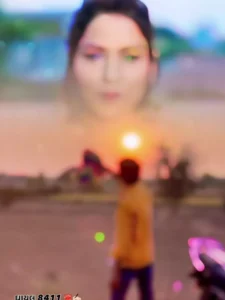
Take a look: the song featured in this template is titled “Preet Janmo Janamni ” and it is currently going viral on Instagram. In terms of editing, the upper section of the video displays the viral dialogue scene from the song—specifically, a romantic sequence where the heroine delivers a few lines—which has been seamlessly blended and merged into the video. The video begins with a blue-tinted visual effect, followed by the use of slow motion; subsequently, various animation effects appear, such as photo effects, body effects, and outline effects. This template has been edited using a diverse array of such effects, incorporating various transitions and 3D visuals. The editing style is designed to evoke the feeling that, while listening to the dialogue, you are reminiscing about someone—perhaps your partner—and appear to be lost in a moment of melancholy.
What Kind Of Clips We Can Use
When it comes to adding clips, you can incorporate a “sad-themed” video clip into this editing project. This is because the dialogue used—combined with the specific style of the editing template—conveys the impression that you are creating a video while reminiscing about someone, perhaps a partner. The inclusion of such clips is precisely what has caused this particular song to go viral. Therefore, if you wish to create a similar video, you can use a clip of yourself walking—whether it conveys a sad or a neutral mood. Alternatively, you could record a video of yourself holding a teddy bear, gazing at it, and appearing to be lost in thought about someone; using such a clip within this template would fit the editing style perfectly.
How To Use This Capcut Template
Friends, the link to the template you requested has been provided in the button above. Now, regarding how to use it: simply read through this paragraph step-by-step. In it, I provide a step-by-step guide on how to utilize this template.
- First, click the “Check Template” button to open this template directly within the official CapCut application.
- Before using the template, it is essential that CapCut is on your phone.
- f you don’t have it yet, please install the CapCut app first, and then proceed to use the template.
- Once opened, the template interface will appear, and you will see a preview of the template.
- Located just below the preview, you will find a “Use Template” button.
- Click this button to add your video clips.
- Add as many clips as required for the template, and then click the “Next” button.
- Your video will now begin editing automatically and, after a few moments, it will be ready.
- You can then save it by clicking the “Export” button located in the top corner of the screen.
Conclusion
Friends, by using this template, you can create an edited video set to a viral Gujarati song—content that is currently trending heavily across social media platforms. I consistently share templates for trending and viral video edits, all of which are 100% functional. Feel free to check out any of the templates available on this website; just be sure not to skip the steps on how to use them. If you enjoyed this article, please make sure to share it!