Cinematic Lyrics Video Capcut Template – Friends, these days, videos featuring new editing trends are going viral on social media, and you’ll likely see a new video trending every day. Especially, video editing of Hindi songs, lyrics editing, or sad editing are some of the topics where video editing trends are trending. Similarly, a video editing of a Hindi song is currently going viral, combining cinematic editing with lyrics. People are making their videos viral by editing this Hindi song. So, friends, if you also want to edit a video with Hindi lyrics in this style, then today I’ll teach you how to edit this video, which will help you edit your videos in the same way. If you want to know the process, read this article. It will explain how to do automatic editing.
Details Of Cinematic Lyrics Video Capcut Template
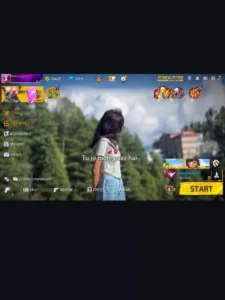
Friends, we’re going to edit this video using a template from CapCut. First, let me give you the details of this template. The editing done in this template is something like this: a person is seen walking with their hands spread in the air, looking up at the sky, at the beginning of the video. The lyrics of the song play in stylish text, and slow motion is applied to the video. After that, the clip changes with a transition, and in that too, the person is seen feeling the song, and the lyrics continue to play throughout the video. Zoom effects, flash effects, sec, and slow motion effects have been used. Friends, if you add your clip to the template, your video will be automatically edited in the same way.
How To Prepare Clip For This Editing?
Friends, if you want to create a cinematic look with these lyric-based video edits, you’ll first need to prepare your video clip. This means you’ll need to record and prepare your video, because to achieve the same result, you’ll need to prepare it using the method I’ve described. First, you need to lower your camera angle. That is, your camera should be pointing down and focused upward. Then, set your clip against a sky background. Now, record 4-5 video clips of yourself, with your arms outstretched, feeling the song in different styles. Prepare your video clips in the same style as you’ve seen in the template. Now, you can edit those clips using the template. I’m providing the link to the template under the “Check Template” button. Be sure to read the “Using” section before using it.



How To Use Cinematic Lyrics Video Capcut Template
Friends, if you want to edit your video using a Capcut template, then using a Capcut template is quite easy. First, install the Capcut application on your phone. Open it and go to the “Discover” option. Here, you’ll find numerous templates that you can use for free. Click on the “Search” option and search for the template you want by typing its name. You’ll find that template. You can use it. If you can’t find it, I have another way.
- Click on the “Check Template” button on our website.
- The application will open, and you’ll see a preview of the template.
- You’ll see a “Use” button. Click on it, and then add your clip to it.
- You’ll need to provide as many clips as you need.
- Then click “Next.” Your video will be created and ready in a few moments.
- This way, you can automatically edit your video.
Conclusion
So, you can automatically edit your video by using this Hindi song template in the CupCut application. This article explains the entire process. We hope you understand it completely. Friends, we share trending and unique template links for your benefit. If you need such trending templates, you can visit our website and check them out. And if you need any assistance, you can contact us and we will definitely help you.