Mukabala Mukabala Capcut Template – Welcome to this new article, friends. Today, I am going to show you how to edit a video for a viral song; the editing is synchronized with the music. You have likely seen the title of this song—”Muqabla”—and have surely come across this specific video edit on Instagram Reels, where it is going viral. The editing style is incredibly eye-catching, and you can create the exact same effect for your own videos. I am sharing a fantastic method to do this: I have provided a template link in this article that allows you to create the video with just a single click—no hard work required. You will get the exact same editing style seen in the viral video. So, please read this article, as I am here to guide you through the entire process.
Details Of Mukabala Mukabala Capcut Template
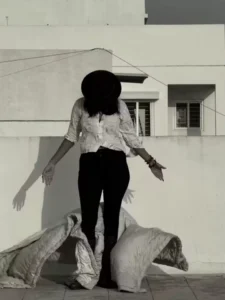
Regarding the editing of this template: it features a distinct slow-motion effect. When you preview the template, the video begins with a black-and-white filter, showing a person walking away from the camera while draped in a shawl; they then turn around. As they drop the shawl, the main editing sequence kicks in—the black-and-white filter lifts, and the person starts walking forward. At this moment, an ultra-slow-motion effect smoothly decelerates the footage, creating a look reminiscent of a ramp walk. The template also incorporates a warm color tone, making it ideal for editing your own walking-style video clips.
Benefits Of Using This Template
Using this template offers numerous benefits. If you were to manually recreate the editing style found in the template, you would need strong editing skills and a significant amount of time to achieve the same result. However, by using the template, you avoid all that hassle; you can easily apply the edit in just a minute, transforming an ordinary video into a professionally edited one. Since editing templates for new, viral trending videos on social media are readily available, you can quickly edit such videos right on your phone without any delay. Now, read the next paragraph to learn how to use the template.
How To Use Mukabala Mukabala Capcut Template
Friends, let me explain the simple way to use this CapCut template in this paragraph. To use the template, you must have the CapCut application installed. Open the app, go to the ‘Discover’ section, and search for the template by name; once you find it, you can use it to edit your video. Sometimes, the template doesn’t appear in the search results, so I have an alternative method to help you—just follow the step-by-step instructions below.
- To use this template, simply click the “Check Template” button provided in the article or open the template directly in the CapCut app.
- You will see a preview of the template along with a “Use” button; click that button.
- Your gallery will then open, allowing you to select the necessary video clips.
- After selecting them, click “Next” and wait a moment; the template will automatically edit your video.
- And it will be ready to go.
Conclusion
We hope you will like this video editing template; it features slow-motion editing set to music—a style that is currently very popular—allowing you to easily create professional-looking videos. Friends, we have shared this template to assist you; please note that we are not its creators—it is an official template from the CapCut app, which you can use directly within the application. We hope you have understood the entire process and will be able to easily create videos using this template. If you wish to learn how to create videos using such unique and trending templates, please keep visiting our website; we will continue to teach you unique video editing techniques.